

Download Hotspot Shield – Fast Secure VPN for Mac
Overview
Hotspot Shield for Mac is a premium VPN solution that blends blazing‑fast connectivity with military‑grade encryption. Designed from the ground up for the macOS ecosystem, the app delivers a seamless blend of privacy, security, and streaming performance. Whether you are a remote worker protecting corporate data, a traveler bypassing geo‑restrictions, or a casual browser seeking anonymity, Hotspot Shield offers a one‑click interface that instantly secures your internet traffic.
The service employs AES‑256 encryption, IP masking, and a strict no‑log policy, ensuring that every byte that passes through your Mac remains private. In addition to core VPN capabilities, Hotspot Shield bundles malware protection, phishing safeguards, and an automatic kill‑switch that cuts off internet access the moment the VPN drops. These layers of defense make it a reliable shield against hackers, identity thieves, and intrusive surveillance.
Users also benefit from a worldwide network of high‑speed servers powered by the proprietary Hydra protocol, which optimizes latency and maintains stable connections even during peak usage. This combination of speed, security, and macOS‑centric design has earned Hotspot Shield a reputation as one of the most dependable VPNs for Apple computers.
Key Features
- Lightning‑fast Hydra protocol delivering up to 2× faster speeds than traditional VPNs.
- Military‑grade AES‑256 encryption with perfect forward secrecy.
- Automatic kill‑switch that instantly blocks traffic if the VPN disconnects.
- Built‑in malware and phishing protection for proactive threat detection.
- IP masking and DNS/IPv6 leak protection to keep your identity hidden.
- Strict no‑log policy verified by independent security audits.
- Over 1,800 servers in 80+ countries for unrestricted global access.
- One‑click connection and intuitive macOS‑styled UI.
- Simultaneous connections on up to 5 devices with a single subscription.
- Battery‑friendly operation that minimizes impact on Mac performance.
Installation & Usage Guide
Downloading and setting up Hotspot Shield on your Mac is straightforward, even for users with minimal technical expertise. Begin by visiting the official Hotspot Shield website and clicking the “Download for Mac” button. The installer package (a .dmg file) will appear in your Downloads folder. Double‑click the file to mount the disk image, then drag the Hotspot Shield icon into the Applications folder. macOS may prompt you to verify the app’s developer; simply click “Open” to confirm. Once installed, launch the application from the Dock or the Launchpad.
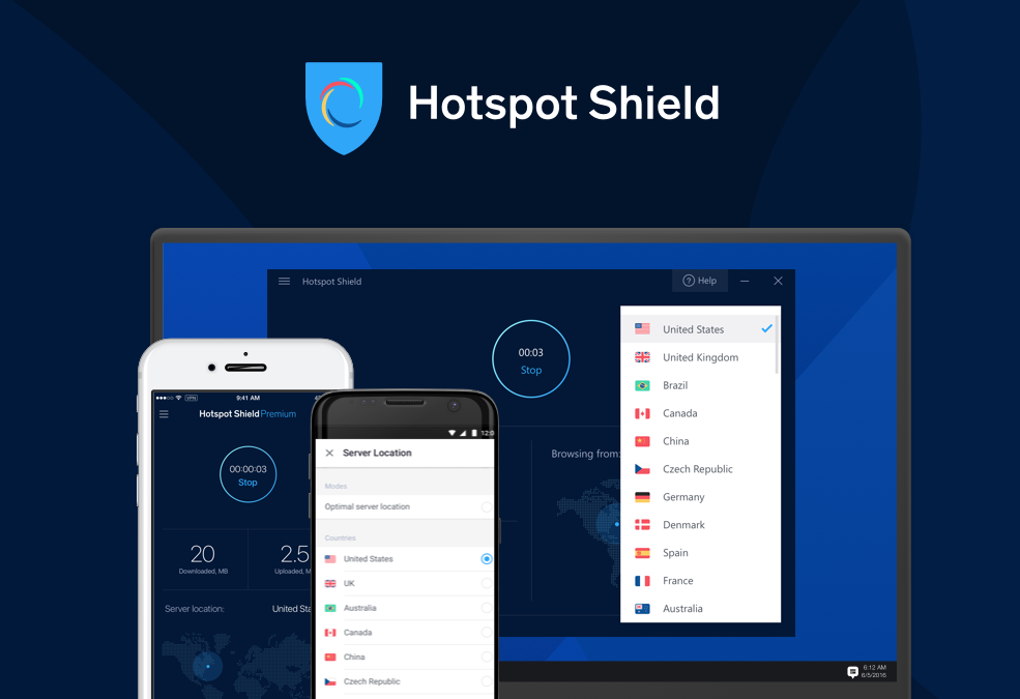
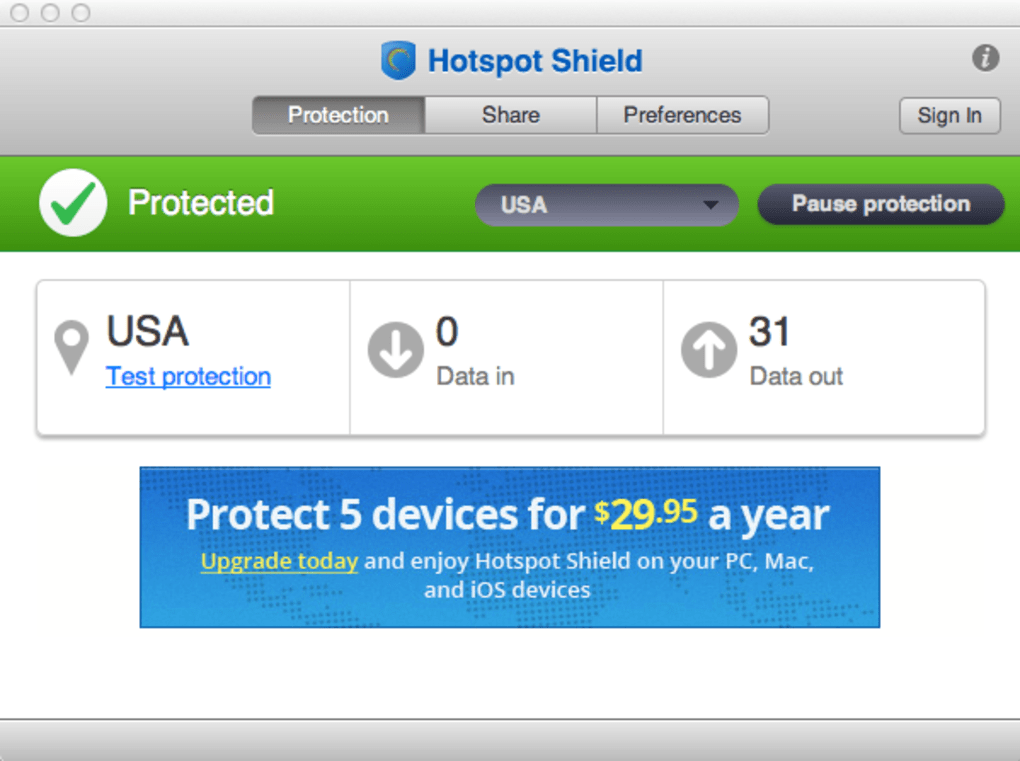
Upon first launch, you’ll be greeted with a clean onboarding screen that asks you to sign in or create a new account. After authentication, the main dashboard displays a prominent “Connect” button. Clicking this initiates a secure connection to the nearest optimal server, leveraging the Hydra protocol for maximum speed. If you need to access content from a specific region, click the server list icon, choose a country, and reconnect. The app also offers a “Smart Connect” toggle that automatically selects the fastest server based on real‑time latency measurements.
For advanced users, the Settings menu provides granular controls: you can enable or disable the kill‑switch, select the encryption level, configure split tunneling (which allows certain apps to bypass the VPN), and customize startup behavior. Hotspot Shield also integrates with macOS’s Network Preferences, allowing you to set the VPN as the default network interface. Finally, the built‑in “Test VPN” button verifies that your IP address and DNS queries are properly masked, giving you confidence that the protection is active.
Compatibility & System Requirements
Hotspot Shield is compatible with macOS 10.12 (Sierra) and later, covering the vast majority of modern Mac hardware, including Intel‑based and Apple Silicon (M1/M2) machines. The application is optimized for both 64‑bit architectures, ensuring smooth performance on MacBook Air, MacBook Pro, iMac, Mac mini, and Mac Studio.
Minimum system specifications are modest: a 1 GHz Intel processor, 1 GB of RAM, and at least 100 MB of free disk space for the installation files. However, for optimal streaming and gaming experiences, a dual‑core processor with 2 GB RAM or higher is recommended. Hotspot Shield’s lightweight design consumes less than 5 % of CPU resources under normal usage, preserving battery life on laptops.
In addition to macOS, the Hotspot Shield subscription includes cross‑platform support for Windows, Android, and iOS, allowing you to protect multiple devices with a single account. The seamless synchronization of server preferences and security settings across platforms means you can switch between your Mac and iPhone without re‑configuring the VPN.
Pros and Cons
Pros
- Exceptional speed thanks to the proprietary Hydra protocol.
- Robust AES‑256 encryption with automatic kill‑switch.
- User‑friendly macOS‑native interface and one‑click connect.
- Wide server network that easily bypasses geo‑blocks.
- Additional security tools such as malware and phishing protection.
- Simultaneous connections on up to five devices.
- Regular third‑party security audits and transparent privacy policy.
Cons
- Premium pricing tier is higher than some budget VPNs.
- Advanced configuration options (e.g., split tunneling) are hidden in sub‑menus.
- Free version imposes data caps and limited server access.
Frequently Asked Questions
Does Hotspot Shield keep logs of my activity?
No. Hotspot Shield adheres to a strict no‑log policy, meaning it does not store browsing history, connection timestamps, or IP addresses. Independent audits verify this claim.
Can I use Hotspot Shield on multiple devices simultaneously?
Yes. A single subscription allows you to protect up to five devices at the same time, including Macs, Windows PCs, smartphones, and tablets.
Is the VPN compatible with Apple Silicon (M1/M2) Macs?
Absolutely. Hotspot Shield runs natively on both Intel and Apple Silicon Macs, delivering the same speed and security performance.
How does the kill‑switch work?
If the VPN connection drops unexpectedly, the kill‑switch automatically blocks all internet traffic, preventing your true IP address and data from being exposed.
Can I stream Netflix, Hulu, and BBC iPlayer without buffering?
Yes. Hotspot Shield’s high‑speed servers and optimized streaming protocols allow smooth HD playback on major platforms, bypassing regional restrictions.
Expert Review
Hotspot Shield for Mac strikes an impressive balance between raw performance and comprehensive security. The Hydra protocol delivers consistently high speeds that make 4K streaming and large file downloads feel effortless. Security‑focused users will appreciate the AES‑256 encryption, automatic kill‑switch, and built‑in malware shield, all enforced by a transparent no‑log policy verified by third‑party audits.
While the price point sits at the premium end of the market, the value delivered—especially for power users who juggle work, entertainment, and travel—justifies the cost. The macOS‑centric UI is polished and intuitive, ensuring that even novices can enable protection with a single click. Overall, Hotspot Shield is a top‑tier VPN solution that meets the demanding needs of modern Mac users.
Conclusion & Call to Action
For Mac owners who demand speed, security, and seamless integration, Hotspot Shield stands out as a premier choice. Its combination of lightning‑fast Hydra connections, military‑grade encryption, and user‑friendly design makes it suitable for everything from remote work to binge‑watching international shows. The added layers of malware protection, kill‑switch functionality, and a strict no‑log policy provide peace of mind in an increasingly hostile online environment.
While the subscription isn’t the cheapest on the market, the performance and privacy guarantees deliver solid ROI for anyone serious about safeguarding their digital life. Ready to experience unrestricted, secure browsing on your Mac? Download Hotspot Shield now and enjoy a 30‑day money‑back guarantee that lets you test the service risk‑free.







